
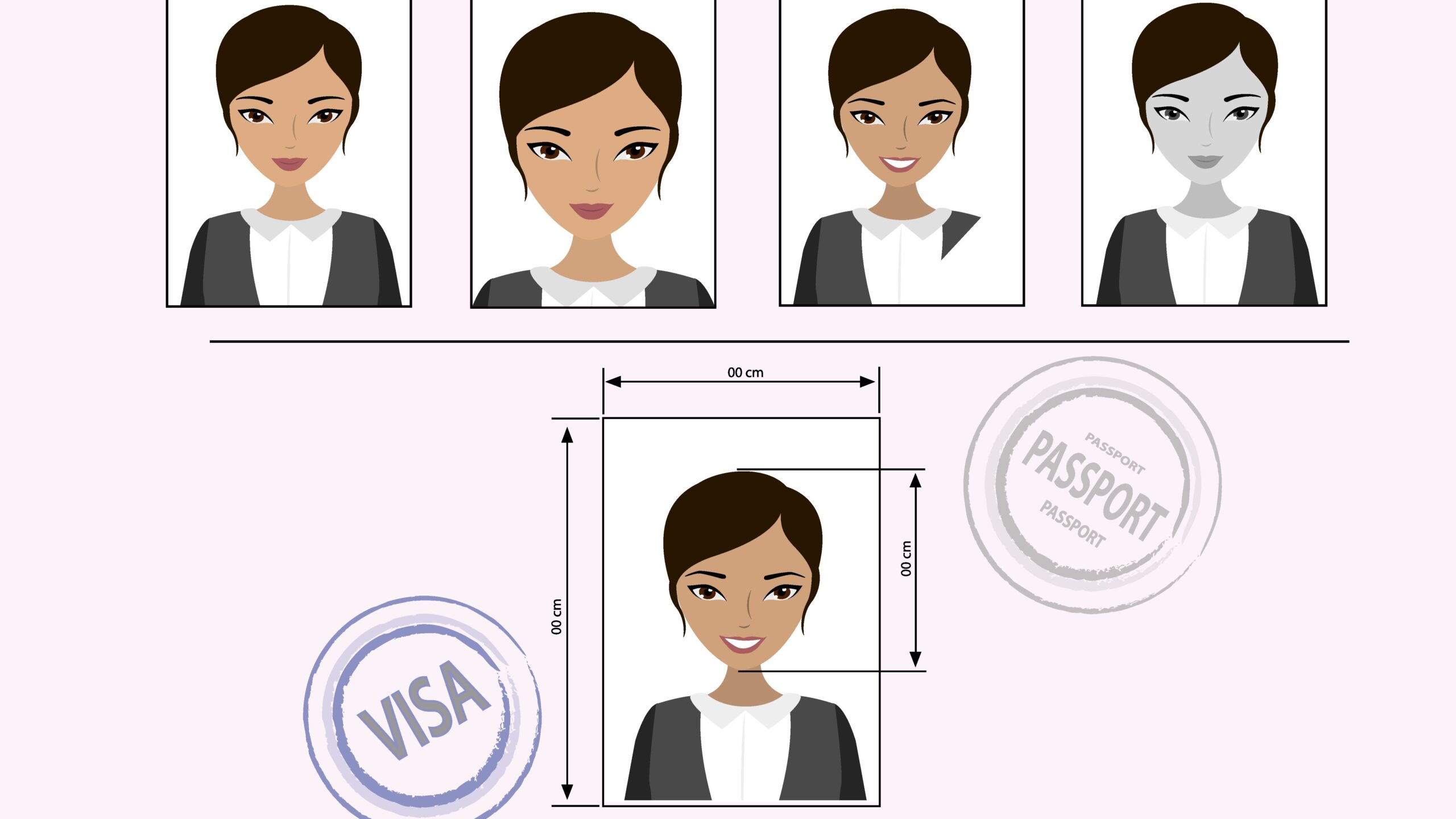
When it comes to applying for international documents like passports, visas, or IDs, one of the most crucial yet often overlooked parts is the photo. Getting it right the first time saves you headaches, delays, and sometimes even additional costs. But how do you create a consistent photo set that meets all international standards? Let’s dive into the nuts and bolts of ensuring your photos are perfect, no matter which country you’re dealing with.
International Document Photos
When you apply for any official international document, whether it’s a passport, visa, or a work permit, one of the essential requirements is a compliant photo. These photos serve as your biometric identification and are used worldwide to verify your identity at airports, embassies, and government offices. Because these photos are scrutinized by both automated systems and human agents, it’s crucial that they follow strict guidelines to avoid delays or outright rejections. Even a slight deviation in size, background color, facial expression, or posture can cause your application to be delayed, costing you time and sometimes extra money.
Why Consistency Matters in Document Photos
Imagine you’re applying for a U.S. passport photo and then shortly after need to apply for a visa to the UK. Both require official photos but have slightly different rules regarding size, background, and facial expression. If you send a photo that isn’t consistent with those specific requirements, your application can be rejected, forcing you to retake and resubmit. Consistency here means ensuring your photo meets the exact specifications for each document to prevent unnecessary delays.
Inconsistent photos not only risk rejection but can also cause confusion during identity verification processes. Automated systems scanning passport photos rely on strict standards; any variation in lighting, head angle, or background can trigger errors. By maintaining consistency—using proper lighting, posing, and size—you reduce the risk of these complications. This is especially important for travelers or immigrants who might have to submit multiple photos for various official documents, as consistent photos simplify the entire experience and help keep everything aligned with government expectations.
Common Types of International Documents Requiring Photos
When it comes to international travel or residency, several official documents require you to submit a compliant photo. These include:
- Passports: The primary travel document issued by your country, allowing you to enter and exit foreign countries.
- Visas: Authorizations to enter a specific country for tourism, work, study, or other purposes.
- National IDs: Identification cards used domestically but sometimes required for international travel or identification.
- Residence Permits: Documents allowing you to live legally in a foreign country for an extended period.
- Work Permits: Special permissions that enable you to work legally in another country.
Each document might have slightly different photo requirements based on the issuing country or purpose. For instance, a passport photo might emphasize a neutral background and strict dimensions, while a visa photo might allow for slightly different sizes or backgrounds. Despite these differences, the basic foundation remains the same: clear, front-facing, recent photos with no shadows or obstructions.
Photo Requirements by Country
When dealing with international document photos, understanding each country’s specific requirements is critical. Each nation defines photo size, background color, head size, facial expression, and even attire rules to ensure uniformity and security. Some countries are very strict, while others allow a bit more flexibility.
Passport Photo Standards in the USA
The U.S. passport photo requirements are among the most clearly defined and widely followed. The photo must be exactly 2×2 inches (51×51 mm) in size, printed on high-quality photo paper, and show a full face, front view, with both eyes open. The background must be plain white or off-white, with no shadows, patterns, or textures.
Your head should fill about 50% to 69% of the photo height, and your face should be centered and looking directly at the camera. The expression must be neutral—no smiling, frowning, or raised eyebrows. Glasses are generally not allowed, except in rare medical circumstances. The photo must be recent, typically taken within the last six months, to reflect your current appearance accurately.
Visa Photo Specifications for Popular Countries
Visa photo requirements vary widely by country, even if they seem similar to passport photos at first glance. For example:
- Canada: Requires a 50 mm x 70 mm photo with a plain white or light-colored background. The applicant’s face must be centered and cover between 31 mm and 36 mm of the photo height.
- Australia: Specifies a 35 mm x 45 mm photo with a plain cream or light grey background. The photo should clearly show the face with a neutral expression and no shadows.
- United Kingdom: Requires a 35 mm x 45 mm photo with a light grey or cream background. The face must be fully visible, looking straight ahead, with a neutral expression.
These subtle differences mean a photo acceptable for one visa application might not pass for another. Always consult the respective country’s embassy or consulate website for the most current specifications.
Differences Between Passport, Visa, and ID Photos
While passport, visa, and national ID photos all serve similar purposes, there are nuanced differences in their requirements. Passport photos are usually the strictest, focusing heavily on neutral expressions, exact sizes, and specific backgrounds. Visa photos can sometimes be more flexible but may require more recent photos, especially for temporary travel permits.
National ID photos may differ significantly depending on the issuing country, often allowing smaller sizes or accepting a wider range of backgrounds. Some countries require digital submissions for visas or IDs, while passports typically require printed photos unless applying electronically. The key difference lies in the purpose and duration of the document: passports and visas are primarily for international travel, requiring stringent photo standards, whereas IDs may have more leniency but still need to be clearly identifiable.
Preparing for Your Photo Shoot
Choosing the Right Background and Lighting
When preparing to take your international document photo, the background plays a crucial role in meeting the official requirements. Most countries, including the United States, demand a plain white or off-white background to ensure your face stands out clearly without any distractions. A cluttered or colored background can cause your photo to be rejected immediately. To achieve this, it’s best to choose a well-lit room with a smooth wall or use a professional backdrop specifically designed for document photos. Avoid backgrounds with textures, patterns, or shadows, as these can interfere with facial recognition systems and visual clarity.
Lighting should be even and balanced to prevent shadows on your face or background. Natural light is ideal, but if you use artificial lighting, position lights at 45-degree angles to your face to minimize shadows. Avoid overhead lights or direct sunlight that can cause harsh shadows or squinting. Ensuring consistent lighting helps create a photo that looks professional and meets the strict standards of government agencies.
Dress Code and Appearance Guidelines
For international document photos, your attire and appearance are just as important as technical specs. The general rule is to avoid hats, glasses, or uniforms, except in cases of religious or medical necessity. Hats or headwear that obscure your hairline or face are not allowed. Likewise, sunglasses or tinted glasses must be removed to ensure your eyes are fully visible, although clear prescription glasses can sometimes be permitted if there is no glare.
Wear simple, everyday clothing that contrasts with the background but isn’t overly bright or distracting. Heavy makeup, large earrings, or accessories that cover parts of your face should be avoided as they can interfere with identification. Keeping your appearance natural and understated helps your photo comply with official requirements and makes identity verification more straightforward.
Proper Facial Expressions and Head Position
Maintaining the correct facial expression and head position is vital for a successful international document photo. A neutral expression with a closed mouth is almost universally required — no smiling, frowning, or raised eyebrows. This neutrality helps officials and biometric systems clearly recognize your facial features. Your eyes should be fully open and looking directly at the camera lens.
Your head should be perfectly centered in the frame, not tilted, turned, or leaning in any direction. The camera should capture the full face from the bottom of the chin to the top of the head, ensuring that both ears are visible when possible. These guidelines help create a consistent and reliable image that meets the expectations of passport offices and visa centers worldwide.
| Aspect | What to Do | What to Avoid | Notes |
| Background | Plain white or off-white | Patterns, textures, shadows | Use professional backdrop if possible |
| Lighting | Even, natural or soft artificial lighting | Harsh shadows, uneven lighting | Position lights at 45-degree angles |
| Attire | Everyday clothing, no hats or uniforms | Hats, sunglasses, flashy accessories | Religious headwear allowed if needed |
| Facial Expression | Neutral, closed mouth, eyes open | Smiling, frowning, squinting | Look directly at the camera |
| Head Position | Centered, straight | Tilted, turned, leaning | Both ears visible if possible |
Technical Specifications for International Document Photos
Photo Size and Resolution
Every country defines strict standards for the size and resolution of document photos to ensure clarity and uniformity. For example, the United States passport photo must be exactly 2×2 inches (51×51 mm). Other countries may use different dimensions — the UK requires 35×45 mm, and Canada 50×70 mm. It’s important to follow these size requirements precisely; cropping or resizing improperly can lead to rejection.
In addition to size, resolution matters. The photo should be sharp and clear, with a resolution of at least 300 dots per inch (dpi). Low-resolution photos can appear pixelated or blurry, making it difficult for officials to identify you correctly. Many digital submission portals will automatically reject photos that don’t meet these quality standards, so it’s essential to use a high-quality camera or smartphone and avoid compressing images excessively.
Color vs. Black and White Photos
Most countries today require color photos for international documents because color provides better detail for facial recognition and verification. Color photos should reflect natural skin tones and avoid filters or edits that alter your appearance. Using color also helps officials verify details such as hair color and eye color.
However, some national ID cards or older documents may accept black and white photos. This is less common for passports or visas, where color photos are standard. If you’re unsure, always check the specific document requirements on the official government site. Using a black and white photo when color is required can lead to immediate rejection.
File Formats and Submission Methods
With digital applications becoming more popular, knowing the accepted file formats and submission methods is crucial. Most government agencies require photos in JPEG (.jpg) or PNG (.png) formats due to their balance of quality and file size. Some portals have strict limits on file size (usually between 240 KB and 10 MB), so make sure your photo fits within those limits without losing quality.
When submitting digitally, avoid over-compressing the image, which can cause artifacts or blurriness. Additionally, ensure the photo is correctly oriented (no sideways or upside-down images) and meets dimension and resolution requirements before uploading. For printed photos, use high-quality photo paper, and never submit photocopies or scanned images that degrade photo quality.